12/24-Hour Clock: Format for Productivity & Precision
Have you ever stared at a meeting invite for "14:30" and felt a brief moment of panic? You do the quick mental math—"subtract 12, so that's 2:30 PM"—but that hesitation highlights a key question: which time format is better for efficiency? The choice between the familiar 12-hour system and the clear-cut 24-hour clock can impact your clarity, productivity, and even how you see your day.
Choosing the right format isn't just about preference; it's about optimizing your workflow for precision. Whether you're coordinating a global team, managing a tight schedule, or designing the perfect digital workspace, the way you view time matters. This guide explores the strengths of each system to help you decide. We'll also show you how a flexible tool gives you the best of both worlds. You can start exploring now with a powerful, free online clock.

Understanding 12-Hour vs. 24-Hour Clock Formats
Before we optimize our schedules, let's cover the fundamentals. Each time-telling system has a distinct history and structure that makes it ideal for different situations.
The Traditional 12-Hour System: AM/PM Clarity and Confusion
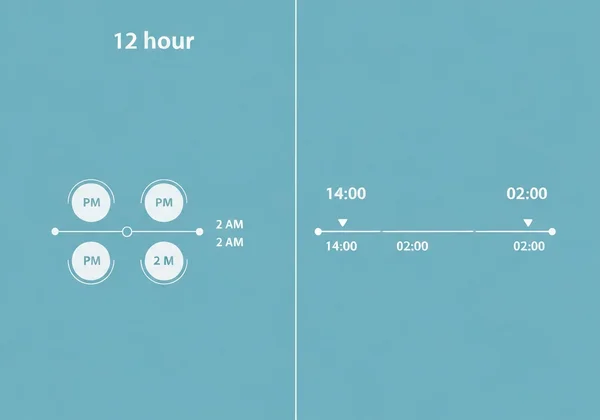
The 12-hour clock is the standard in many parts of the world, especially North America. It splits the day into two periods: "a.m." (ante meridiem, "before midday") and "p.m." (post meridiem, "after midday"). Its main advantage is familiarity. Most of us grew up with it, so it feels intuitive for everyday conversation.
However, this system has drawbacks. The biggest confusion? 12 a.m. and 12 p.m. Is 12 a.m. the start of the day (yes, midnight)? This vagueness causes missed meetings, flight errors, and extra stress.
The Global 24-Hour System: Unambiguous Time for Precision
The 24-hour clock, often called "military time," eliminates ambiguity. It numbers the hours from 00 to 23. The day begins at 00:00 (midnight) and ends at 23:59, so there’s no need for a.m. or p.m. This format is the international standard for aviation, medicine, and logistics—fields where precision is non-negotiable.
Its primary benefit is absolute clarity. When you see "17:00," there's no doubt it means 5 PM. For global teams working across different time zones, this removes a critical layer of misunderstanding. The linear progression also makes it easier to calculate durations and plan schedules without crossing the a.m./p.m. divide.
Which Clock Format Maximizes Your Productivity?
The "best" time format depends on your tasks, environment, and even how your brain processes information. Understanding the practical differences can help you make a strategic choice.
Cognitive Load & Readability: How Your Brain Processes Time
Cognitive load is the mental effort a task demands. The 12-hour format suits casual chats. But in pro settings, the 24-hour system cuts that load. Why? It presents time as a simple sequence. Planning an 8-hour shift from 15:00 is easy—it ends at 23:00. The same shift from 3:00 PM requires you to mentally cross the 12-hour mark, a small but real extra step.
For tasks needing meticulous planning, the 24H format's directness streamlines the process. Fewer mental hurdles free up brainpower for more important decisions.
Context Matters: Best Uses for 12H vs. 24H in Work & Life
Choosing your format is about matching the tool to the job. Neither system is better, but each excels in different contexts.
When to use the 12-Hour Format:
- Daily Communication: It’s the conversational standard in many cultures. "Let's meet at 2 PM" often feels more natural than "Let's meet at 14:00."
- Simple Scheduling: For personal appointments and local events, the familiar a.m./p.m. system works perfectly.
- Creative Environments: A designer might prefer a classic 12-hour display that fits a minimalist desktop theme.
When to use the 24-Hour Format:
- Global Collaboration: Essential for project managers coordinating across time zones. It prevents costly "I thought you meant 8 AM, not 8 PM" mistakes.
- Detailed Itineraries: Perfect for travel, event planning, and any schedule spanning day and night.
- Technical Fields: Standard in programming and data analysis, where logs and timestamps demand precision.
- Presentations & Timed Events: Lecturers can use a 24H time readout to clearly mark exam start and end times (e.g., 09:00 to 11:30) without confusion.
The real advantage comes from switching between them as your context changes. A tool offering this flexibility is invaluable.
Seamlessly Switch Clock Formats with Our Online Tool
The real power isn't in committing to one format, but in using the right one for the moment. Our online clock was designed for this exact purpose, offering a high-precision tool that you can instantly adapt to your needs.
Step-by-Step Guide: Customizing Your Display for Optimal Workflows
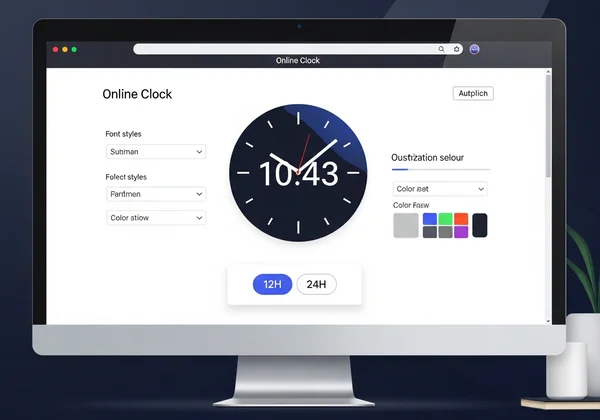
Switching between 12-hour and 24-hour time formats on our site is simple. Everything you need is in the intuitive toolbar.
- Visit the Homepage: Open our site in your browser. You'll immediately see a clean, accurate time display.
- Locate the Toolbar: Hover your mouse near the top of the screen to reveal the control panel.
- Find the Format Switch: Look for the button labeled "24H" or "12H."
- Click to Toggle: A single click instantly switches the entire display to your preferred format.
It's that easy. This seamless transition lets you adapt your time readout on the fly. You can also customize your clock with different fonts, colors, and backgrounds to perfectly match your workspace.
Real-World Scenarios: Boosting Efficiency with the Right Format
Let's see how this flexibility helps users in their daily routines:
-
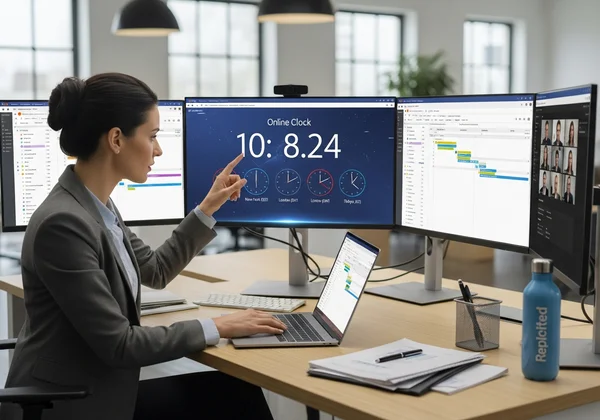
For Elena, the Global Project Manager: Elena keeps a browser tab open with our online clock set to a full-screen display. She uses the 24-hour format for clarity with her international teams. She adds Berlin (CET) and Singapore (SGT) clocks via multi-timezone support. All show in clear 24H format. This "global command center" view prevents scheduling errors.
-
For Professor Thompson, the Lecturer: During lectures, Professor Thompson uses the full-screen mode with a large, bold font. He prefers the 12-hour format for general class pacing. But for exams, he switches to the 24H format to clearly display the official start and end times (e.g., 13:00 - 14:30), leaving no room for confusion. He can even switch to an analog view to visually demonstrate the passage of time.
Pick Your Power Format and Own Your Day
The debate between 12-hour and 24-hour formats has a clear winner: you. The most productive choice is the one that fits your immediate context. The 12-hour system offers everyday familiarity, while the 24-hour system provides the precision needed for professional and global work.
Why lock into one? Switch freely and stay sharp. True mastery over your schedule comes from having the flexibility to adapt. A powerful tool gives you the control to switch formats effortlessly, customize your display, and stay in sync with your goals.
Bottom line: Match your clock to the moment—12H for casual vibes, 24H for no-nonsense precision. Ready to find the perfect format for your workflow? Visit our site now to experience a clock that is as dynamic and precise as you are.
Frequently Asked Questions About Online Clock Formats & Customization
How accurate is our online clock and its time formats?
Our online clock is extremely accurate. It synchronizes with atomic time servers using the Network Time Protocol (NTP). This ensures the time you see—whether in 12-hour or 24-hour format—is precise to the second, providing a reliable source for all your needs.
Can I switch between digital and analog clock views on your site?
Yes, absolutely! The toolbar includes a one-click button to instantly switch between a modern digital display and a classic analog clock face. This unique flexibility allows you to choose the view that best suits your task or aesthetic preference.
How can I customize the font and color of my online clock display?
Customization is at the core of our tool. Using the floating toolbar at the top of the screen, you can easily change the font style, text color, and background color. This allows you to create a clock that is not only functional but also perfectly matches your desktop wallpaper or personal style. Give it a try and design your clock.
Is the 24-hour format inherently more productive for certain tasks?
It ditches a.m./p.m. confusion. That cuts scheduling errors, planning slips, and log mistakes. Result? Smoother pro workflows. For tasks requiring precision and clear communication across teams or time zones, the 24-hour format is demonstrably more effective.