Advanced Time Blocking with Digital Clocks
In our hyper-connected world, time management isn't just about staying organized—it's about reclaiming control of your most precious resource. If you've tried traditional productivity methods like the Pomodoro Technique but still feel overwhelmed, you're not alone. The secret to unlocking your peak potential often lies in more sophisticated time blocking techniques that leverage the precision of digital timekeeping.
Are you ready to stop managing minutes and start designing your days for maximum impact? This guide will transform how you approach your schedule. We'll explore how to use a customizable and accurate online clock to implement advanced time blocking frameworks that adapt to your unique workflow and cognitive patterns. Get ready to discover a smarter way to work, powered by the precision you can find with a high-quality online digital clock.
Why Digital Clocks Revolutionize Time Blocking
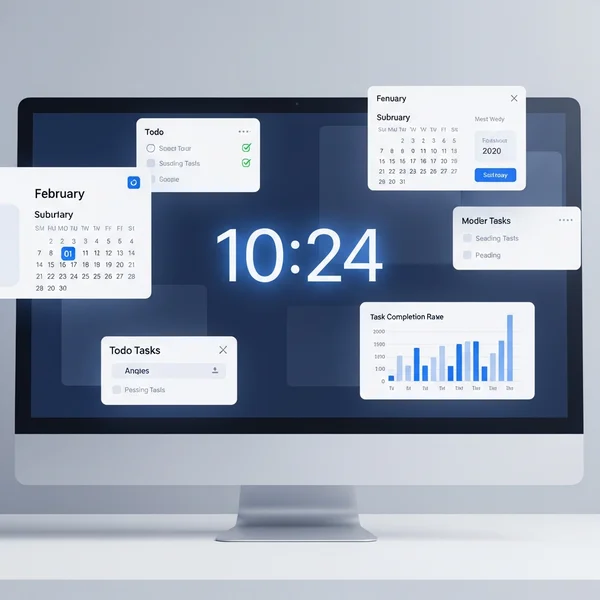
Traditional planners are static, but your day is dynamic. Modern productivity demands a tool that is both precise and flexible. This is where a digital clock becomes more than just a timepiece; it becomes a strategic partner in your quest for efficiency. By providing an accurate, real-time visual anchor, it fundamentally changes how you perceive and interact with your schedule.
The Psychology of Visual Time Tracking
Our brains process visual information incredibly fast. When you see a clock with seconds ticking away, it creates a tangible sense of time's passage. Unlike a vague to-do list, a digital clock provides constant, clear feedback on how much time you have left for a specific task. This visual pressure helps maintain focus and discourages procrastination.
A large, full-screen digital display creates a powerful environmental cue. It signals to your brain that you're in a 'deep work' session, making it easier to ignore distractions. The clarity of a digital display, especially one you can customize, removes the mental friction of constantly checking a small clock on your computer's taskbar. It keeps your focus where it needs to be: on the task at hand.

Precision Synchronization for Complex Projects
For professionals managing complex projects or collaborating across time zones, precision is non-negotiable. A few minutes of drift can lead to missed deadlines or miscommunication. Standard computer clocks can sometimes be inaccurate, drifting over time. A professional online clock that syncs with atomic time servers ensures everyone on your team is operating on the exact same timeline, down to the second.
This level of accuracy is crucial for advanced time blocking. When you allocate a 45-minute block for a critical task, you need to trust that 45 minutes is exact. This confidence allows you to plan your day with military precision, seamlessly transitioning from one task to the next without losing momentum. For tasks requiring perfect timing, a real-time clock is an indispensable asset.
Implementing the Eisenhower Matrix with Digital Clock Precision
The Eisenhower Matrix is a classic productivity framework that helps you prioritize tasks based on urgency and importance. It divides tasks into four quadrants: Do, Decide, Delegate, and Delete. While simple in theory, its power is fully unlocked when combined with precise time blocking and visual cues from a customizable digital clock.
Setting Up Your Quadrants with Color-Coded Time Blocks
Imagine your digital clock as the command center for your Eisenhower Matrix. You can use a customizable tool to visually theme your time blocks. Assign a specific background or text color to each quadrant.
- Urgent & Important (Do): Assign a bold, high-alert color like red. When your clock's background is red, you know you're in a high-focus, non-negotiable work session.
- Important & Not Urgent (Decide/Schedule): Use a calm, strategic color like blue or green. This is for long-term planning and deep work that moves you toward your goals.
- Urgent & Not Important (Delegate): A color like yellow or orange can signify tasks that need quick attention but should ideally be passed to someone else.
- Not Urgent & Not Important (Delete): You don't need a color for this—these tasks are eliminated from your schedule entirely.
By changing the visual theme of your customizable clock for each block, you create powerful psychological triggers that prime your brain for the type of work required.
Time Allotment Strategies Based on Task Priority
Once you have your color-coded system, the next step is to allocate time with precision. The accuracy of an atomic-synced clock ensures your blocks are respected.
For your "Do" quadrant, use shorter, intensely focused blocks (e.g., 25-50 minutes) with short breaks in between. For your "Decide/Schedule" quadrant, block out longer, uninterrupted periods (e.g., 90-120 minutes) to allow for creative thinking and strategic planning. A digital clock with a clear display of seconds helps you honor these transitions precisely, ensuring you start and stop exactly when you planned. This disciplined approach prevents "task creep," where less important work bleeds into time reserved for your highest priorities.
Chronotype-Based Synchronization with Your Digital Clock
One-size-fits-all productivity advice often fails because it ignores our natural biological rhythms. Your chronotype—whether you're a morning lark, a night owl, or somewhere in between—dictates when you are most alert, creative, and productive. Advanced time blocking involves scheduling tasks to align with these natural energy peaks and troughs.
Identifying Your Cognitive Peak Periods
The first step is to identify your unique chronotype. For a week, track your energy and focus levels throughout the day. When do you feel most sharp and able to tackle complex problems? When do you feel a dip in energy, making it a better time for administrative tasks?
Once you identify your peak periods (like 10 AM to 1 PM), protect this time aggressively. Use your time blocking strategy to schedule your most important, demanding tasks during these windows. Set your digital clock to a theme that signifies "peak performance mode." This visual reminder reinforces the importance of the time block and helps you protect it from interruptions.
Optimizing Workflows with Customizable Time Zones
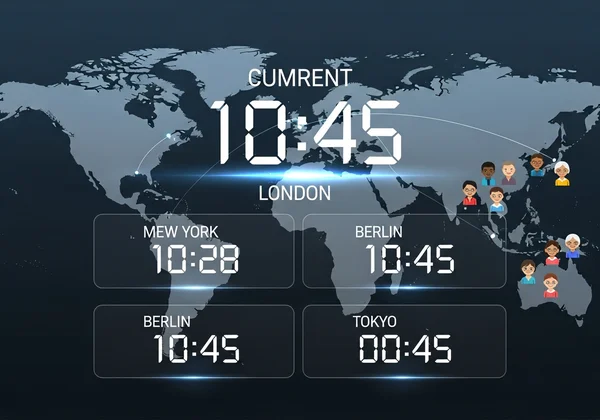
For global teams, synchronizing work based on individual chronotypes can be a game-changer. A project manager in New York might have their peak creative time in the morning, while a developer in Berlin is just hitting their stride in the afternoon (which is still morning in New York).
A powerful online clock with an easy-to-use time zone feature allows you to manage this complexity. You can quickly switch views to see the current time for team members in different locations. This helps you schedule collaborative sessions that respect everyone's peak productivity windows. For instance, you can find a time that is a productive morning for the US team and a manageable afternoon for the European team. Using a reliable world time clock is essential for this level of sophisticated global planning.
Mastering Advanced Time Blocking with Digital Clock Precision
Moving beyond basic to-do lists to advanced time blocking frameworks like the Eisenhower Matrix and chronotype synchronization is the key to unlocking next-level productivity. These methods require a tool that offers more than just the time—they demand precision, customization, and clarity. A high-quality digital clock is the missing piece that makes these strategies practical and effective.
Ready to transform how you work? Experience the precision and customization that can take your productivity to the next level. Start implementing these powerful frameworks today with a free online clock that is highly accurate, fully customizable, and syncs with atomic time servers. Take control of your time and achieve your most ambitious goals.

Frequently Asked Questions About Digital Clock Time Blocking
How accurate does an online digital clock need to be for effective time blocking?
For most individual time blocking, system clock accuracy is sufficient. However, for collaborative projects, professional settings, or tasks requiring perfect synchronization, high accuracy is critical. An online clock that syncs with NTP (Network Time Protocol) atomic time servers provides the highest level of precision, ensuring your time blocks are exact.
Can I switch between digital and analog views while implementing time blocking techniques?
Yes, and it can be very effective. Some people find a digital display with seconds best for focused sprints, while an analog view provides a better intuitive sense of a larger time block (like a 60-minute meeting). A versatile tool like DigitalClock.org allows you to switch between views instantly to suit your task.
Does using a customizable digital clock improve time management more than traditional methods?
For many people, yes. Customization, especially with colors and sizing, creates strong visual cues that reinforce your schedule. A large, full-screen clock can minimize distractions and create an immersive work environment, which is something a traditional paper planner or a small taskbar clock cannot do.
How do I handle time zone differences when implementing time blocking across global teams?
The key is to use a reliable world time zone clock. Before scheduling, check the local times for all participants to find a slot that respects everyone's core working hours and, ideally, their peak energy periods. The feature to easily switch between time zones on a tool like the one on our homepage is invaluable for this.
Is it possible to use DigitalClock.org offline for time blocking during internet outages?
DigitalClock.org is an online tool and requires an internet connection to initially load and sync with atomic time servers for maximum accuracy. Once loaded, it will continue to run based on your device's internal clock, but for guaranteed precision and access to all features, an active internet connection is recommended.